← homeComputers and technologies (Комп'ютери та технології)

How to disable RST on a laptop? Using the Acer Nitro 5 as an example.

How to disable RST on a laptop? Using the Acer Nitro 5 as an example.

Table of contentsClick link to navigate to the desired location
This content has been automatically translated from Ukrainian.
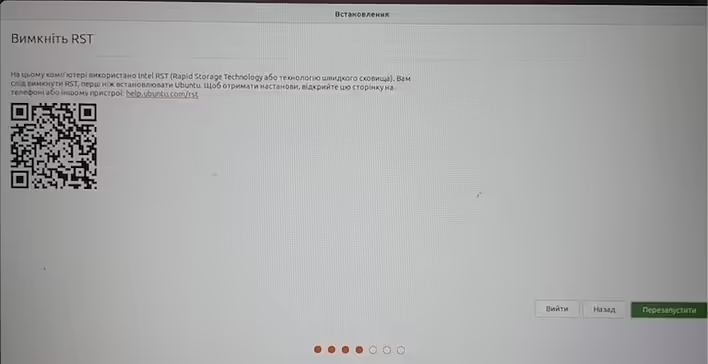
When installing Ubuntu on Acer Nitro I saw the following message (which interrupts the installation process.)
Disable RST
Intel RST (Rapid Storage Technology) is used on this computer, you should disable RST before installing Ubuntu. For instructions, open this page on your phone or another device: help.ubuntu.com.rst
turn_off_rst_ubuntu_installation.png
From the message, it is clear that RST needs to be disabled (what is RST). To do this, you need to go to BIOS and change the SATA mode to AHCI.

#1 Step. Enter BIOS settings.

To do this - you need to turn off the laptop. Turn it on and press F2. A more detailed step-by-step guide is here.

#2 Step. Change SATA mode to AHCI.

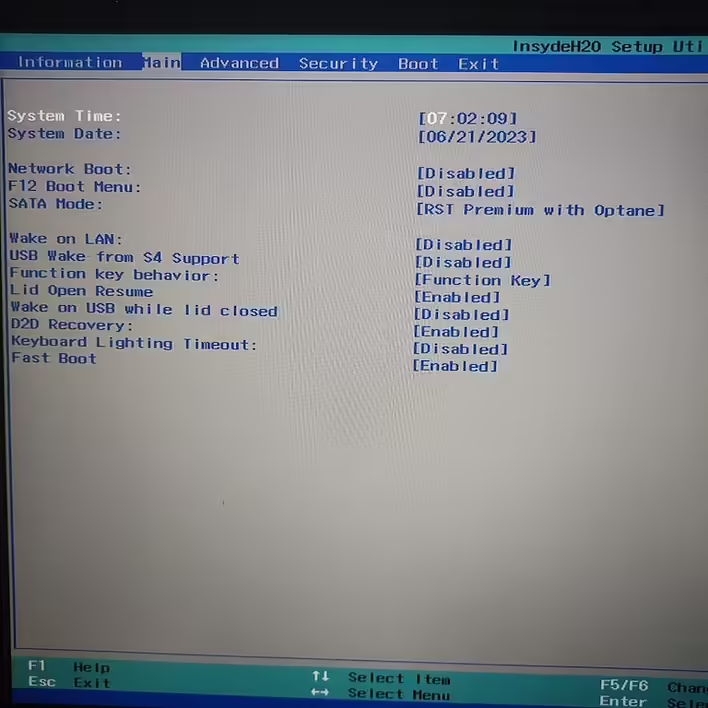
AHCI is a universal SATA interface standard. So we go to the Main tab in BIOS.
open_bios.jpeg
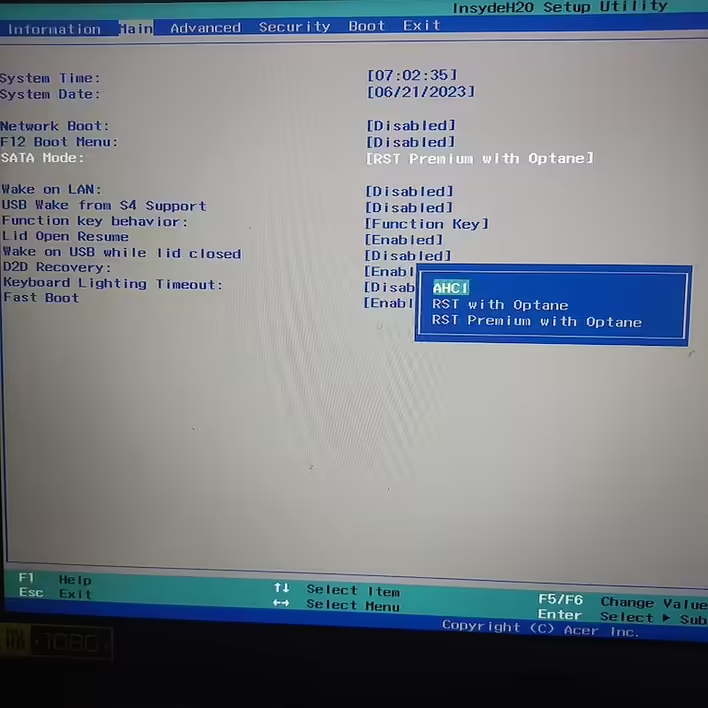
Select SATA mode and change it to AHCI. Acer Nitro 5 also has the following options: RST with Optane and RST Premium with Optane.
choose_ahci_mode.jpeg
Press F10 to save changes and exit BIOS. 
That's it. In my case - I continued the installation of Ubuntu and no longer saw any messages related to RST.

🔥 More posts

All posts
Computers and technologies (Комп'ютери та технології)Jun 24, '23 09:14

What is BIOS and what is it used for?

What is BIOS and what is it used for? What can be configured in BIOS?

Computers and technologies (Комп'ютери та технології)Jun 26, '23 03:43

What is the difference between SSD and HDD?

What is the difference between SSD and HDD? What is an SSD? What is an HDD? How is SSD better tha...